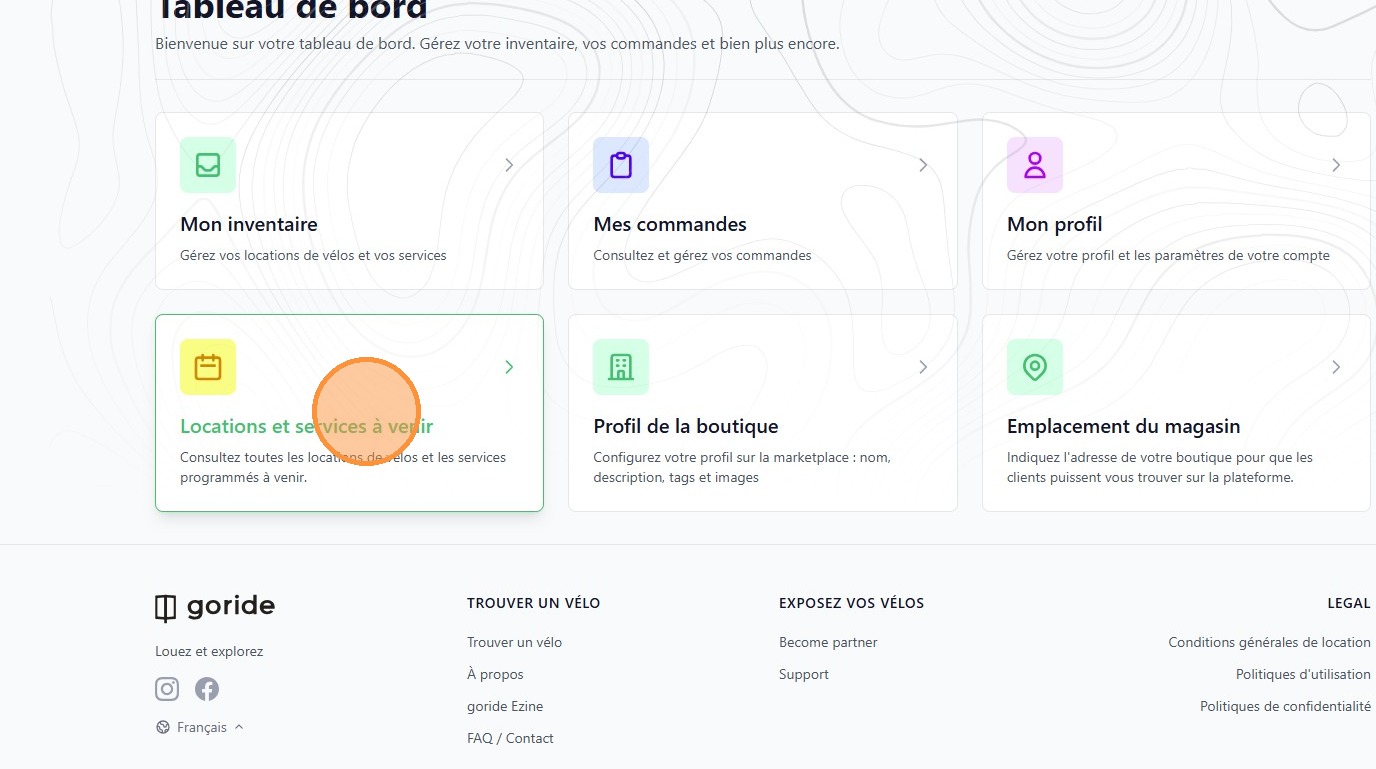
1. To cancel an order, from your Dashboard click "Locations et services à venir"
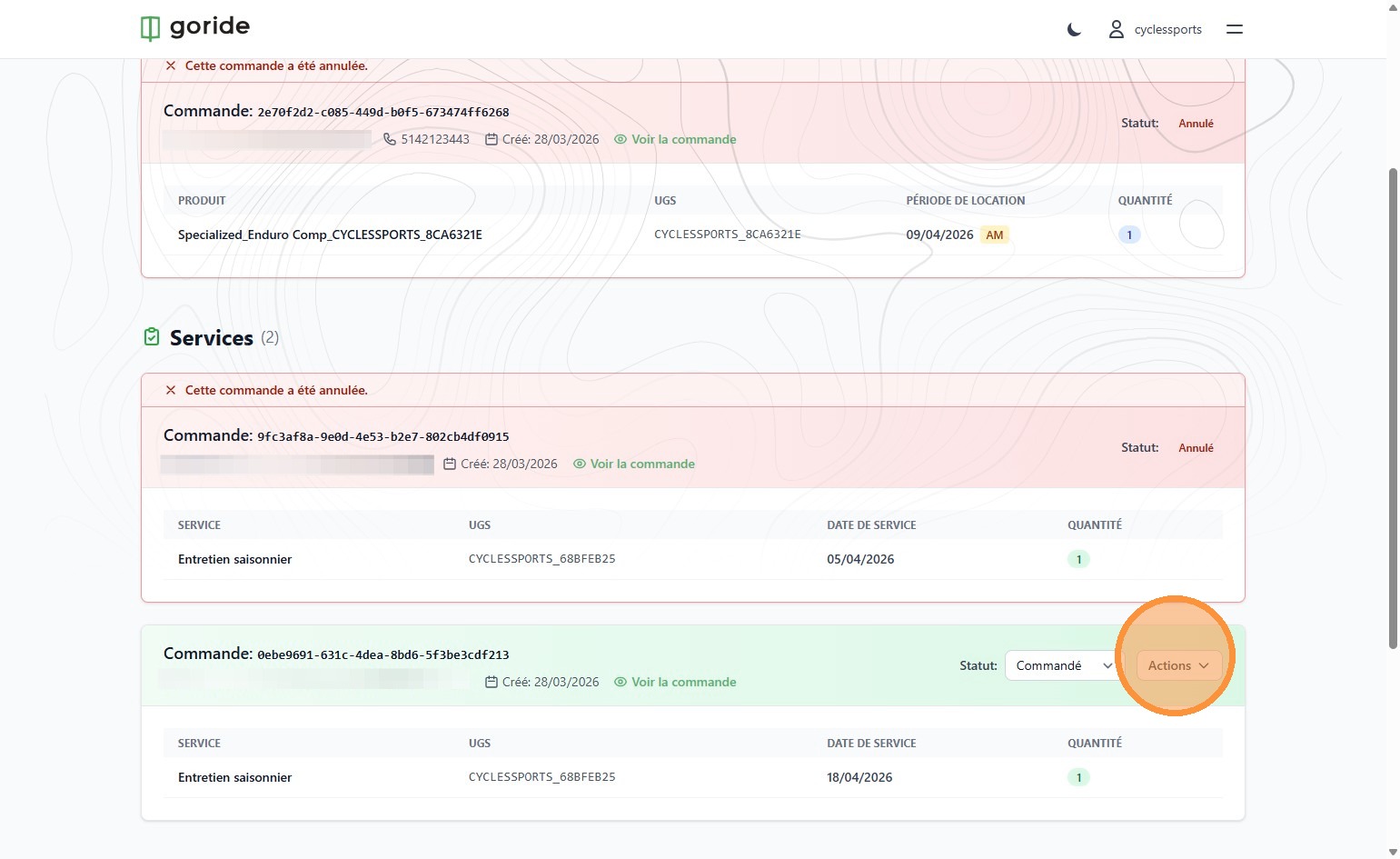
2. On the order you wish to cancel, click "Actions"
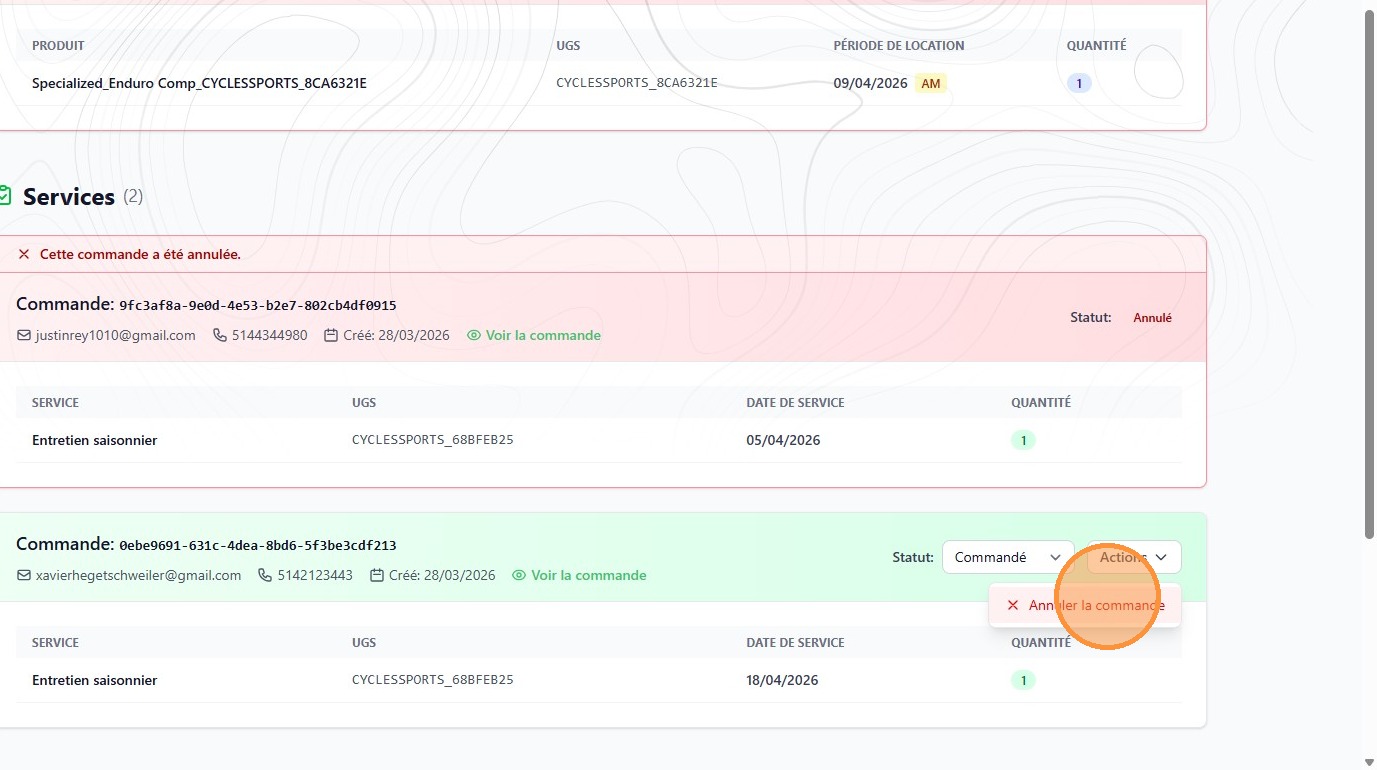
3. Click "Annuler la commande"
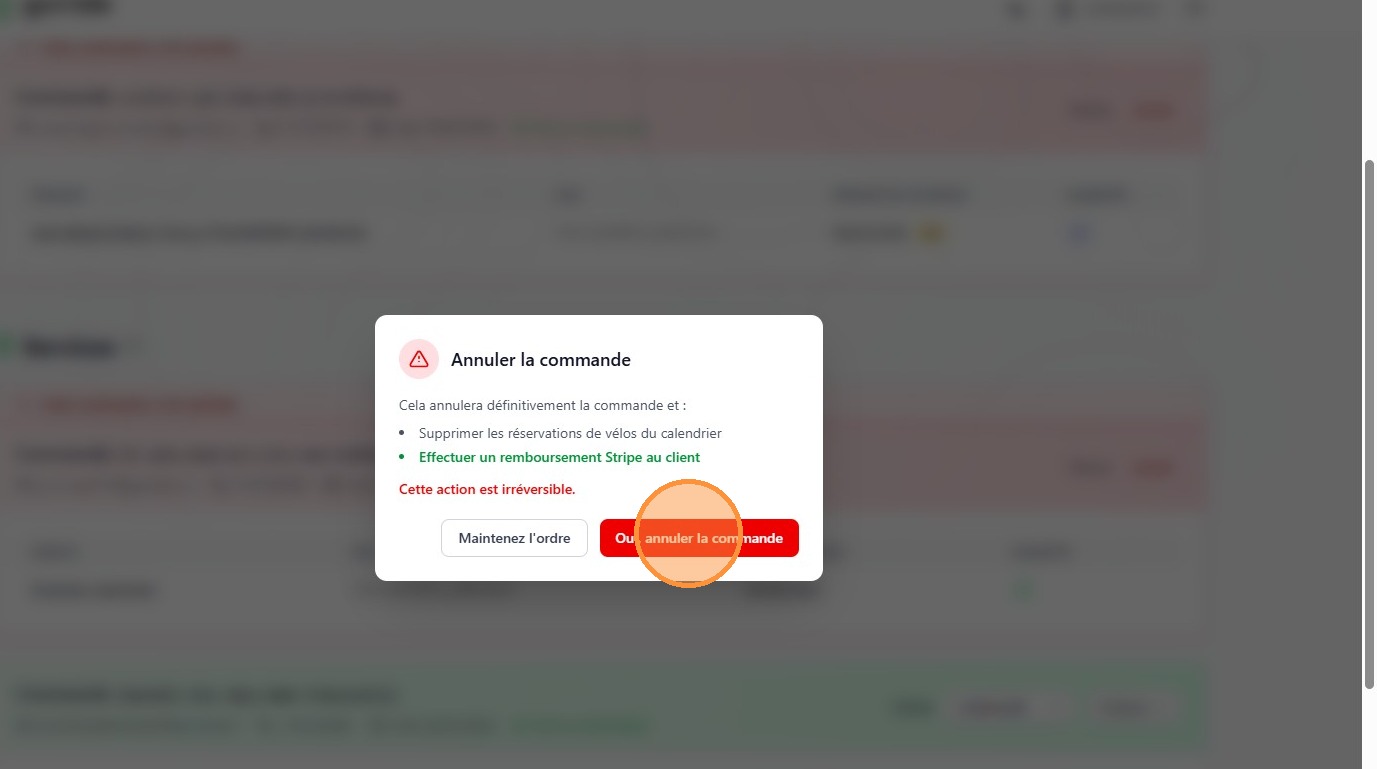
4. Click "Oui, annuler la commande"

Posted by admin · May 07, 2026
1. To cancel an order, from your Dashboard click "Locations et services à venir"
2. On the order you wish to cancel, click "Actions"
3. Click "Annuler la commande"
4. Click "Oui, annuler la commande"